Updated: 19 November 2026


WinWinter App for Android — Download, Install and Play
Get the Android APK file in seconds. This complete installation guide covers system requirements, security steps, and mobile payment methods.
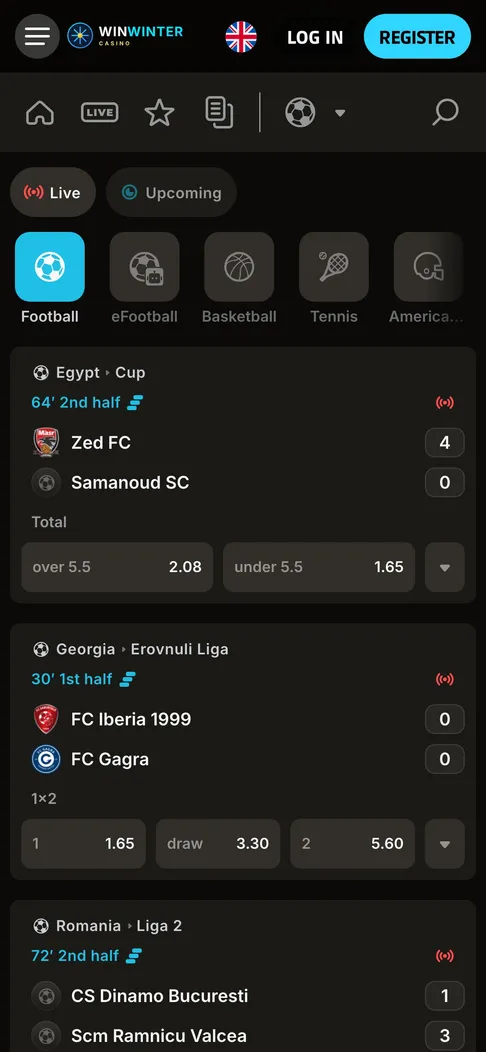
Live football in the WinWinter sportsbook on a phone, with in-play odds next to the score.
WinWinter app for Android: key specifications
The Android application provides access to the full WinWinter platform, including the online casino, live dealer games, and the sportsbook. Players who prefer using a dedicated application instead of a mobile browser gain the ability to enable push notifications for real-time updates and use biometric authentication for faster access to their accounts. The software is delivered as an APK file, which means it requires manual installation rather than a standard download from a storefront. This approach provides a stable, independent platform that remains consistent regardless of individual browser cache issues. Below is a summary of the technical specifications for the Android application.
| Item | Detail |
|---|---|
| Source | APK file from WinWinter mobile site |
| OS version | Android 8.0 or newer |
| Size | Approx. 60 MB |
| Permissions | Push notifications, storage access |
| Login | Email, password, fingerprint scan |
WinWinter app for Android: installation guide
Because the WinWinter app is not distributed through Google Play in the UK, you must download the installation file directly from the WinWinter mobile website. This is the only method to obtain the genuine application. Downloading APK files from third-party websites carries security risks, so you should only use the source provided by the casino. The installation process requires you to adjust your phone settings to allow the installation of applications from unknown sources, a standard procedure for any software not found in the storefronts.
- Visit the WinWinter mobile site using your Android device browser.
- Locate the download button for the Android app and select it to begin the download of the APK file.
- Once the file finishes downloading, tap on the file name in your browser or downloads folder to initiate the installation.
- Your phone will likely show a security prompt stating that installation from unknown sources is restricted; tap Settings and toggle the switch to allow installation from this source.
- Confirm the installation and wait for the app icon to appear on your home screen.
- Open the application and sign in with your email and password to activate the session.
After the initial sign-in, the app will store your session, and you can enable fingerprint authentication in the settings to avoid typing your password every time. If you decide to switch platforms later, you might want to look at the WinWinter app for iOS which follows a similar, though slightly different, download process via the App Store. The Android app will prompt you if an update is available, ensuring you always have access to the latest features and security improvements.
WinWinter app for Android: system requirements and permissions
The application is designed to function on most modern Android devices. To ensure stable performance, your device must run on Android 8.0 or newer. This operating system version ensures that the app can handle the demands of live dealer streaming and high-resolution slot graphics without frequent crashes or lag. You will need approximately 60 MB of available storage space for the application itself, though it is good practice to keep extra space free for game updates and cache data that accumulates during use. A stable internet connection is necessary, particularly when playing live casino tables or placing bets on in-play sports markets.
Permissions are a standard aspect of mobile software. The WinWinter app requests access to storage to save local assets, which helps the interface load faster. Push notifications are another key permission, though these are entirely optional. If you grant this permission, you can receive alerts about free-spin drops, reload reminders, and the status of your withdrawal requests. You can disable or enable these notifications at any time through your phone’s system settings if your preferences change. Using the application instead of a mobile browser provides these benefits, as the mobile browser version of the site does not support push notifications or biometric logins.
WinWinter app for Android: payments and withdrawals
The payment system within the Android application is identical to the one found on the desktop and mobile browser versions of the site. It uses the same account wallet for casino, sports, and esports, allowing you to move funds freely across these areas. Deposits are processed instantly, enabling you to start playing without delays. The application supports a range of payment methods popular in the UK, including Visa and Mastercard debit cards, PayPal, Skrill, and Revolut. For those who prefer direct mobile payments, the app supports Google Pay, though it is worth noting that Apple Pay is not available on Android devices. You can also use crypto options such as Bitcoin, Ethereum, USDT, and Litecoin for both deposits and withdrawals.
Before you can make a withdrawal, you must ensure that every deposit you have made has been turned over 3x. This is a standard requirement, and failing to meet this turnover threshold will result in your withdrawal request being rejected or delayed. Withdrawals are processed within a timeframe of up to 3 business days, although most requests are handled within 24 hours provided that the KYC process is already complete. Once the casino approves the withdrawal, the time it takes for funds to reach your account depends on the payment method. PayPal and Skrill are usually the fastest, often arriving within 24 hours of approval. Cryptocurrency withdrawals are typically processed within approximately 1 hour. Revolut users should expect the funds within 1 business day, while Visa, Mastercard, and Google Pay withdrawals may take between 1 and 3 business days to be credited back to your linked card.
There are no fees charged by the casino for processing deposits or withdrawals. The minimum deposit and minimum withdrawal amount is £15. Withdrawal limits are set at £5,000 per day and £20,000 per month. If your withdrawal request is triggered by a bonus, keep in mind that the casino rules for the welcome package or other promotions apply to how your funds are handled. Always ensure that your KYC documents (typically a photo ID like a passport or driving licence, and proof of address like a utility bill or bank statement less than 3 months old) are submitted early to prevent delays in payout processing.
If you ever experience issues with your account or a transaction, the 24/7 live chat is built directly into the app, providing immediate contact with the casino. For concerns related to responsible gambling, the National Gambling Helpline is available at 0808 8020 133. This service provides free and confidential support 24/7 for anyone in the UK needing help. You can also set various limits within your account, including daily, weekly, and monthly deposit limits, or use time-out and self-exclusion tools if you need to take a break from betting.
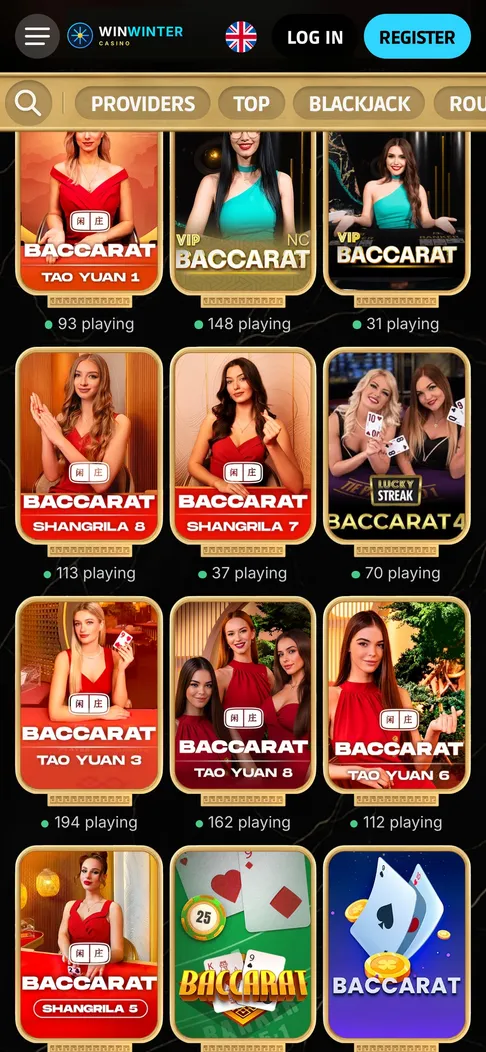
Live baccarat tables in the mobile lobby of the Android app.
WinWinter Android app: quick answers
Is the WinWinter Android app available on Google Play in the UK?
No, the application is not listed on Google Play in the UK. You can safely download the APK file directly from the WinWinter mobile site.
What are the system requirements for the Android app?
The app requires Android 8.0 or a later version. The download size is about 60 megabytes, and you also need a stable internet connection.
Can I use Google Pay for deposits in the Android app?
Yes, Google Pay is fully supported for quick deposits starting from £15. Apple Pay is not available on Android devices, but you can use Visa, Mastercard, PayPal, Skrill, Revolut, or crypto.
How do I log in after my initial password sign-in?
After your first password sign-in, you can use your fingerprint for fast access. If you enter the wrong password five times, your account will lock for 30 minutes.
Are there push notifications in the Android app?
Yes, you can opt in to receive push notifications for promotional offers, free-spin drops, withdrawal status updates, and match reminders. You can also receive occasional push promos featuring 10 to 20 no-deposit spins.